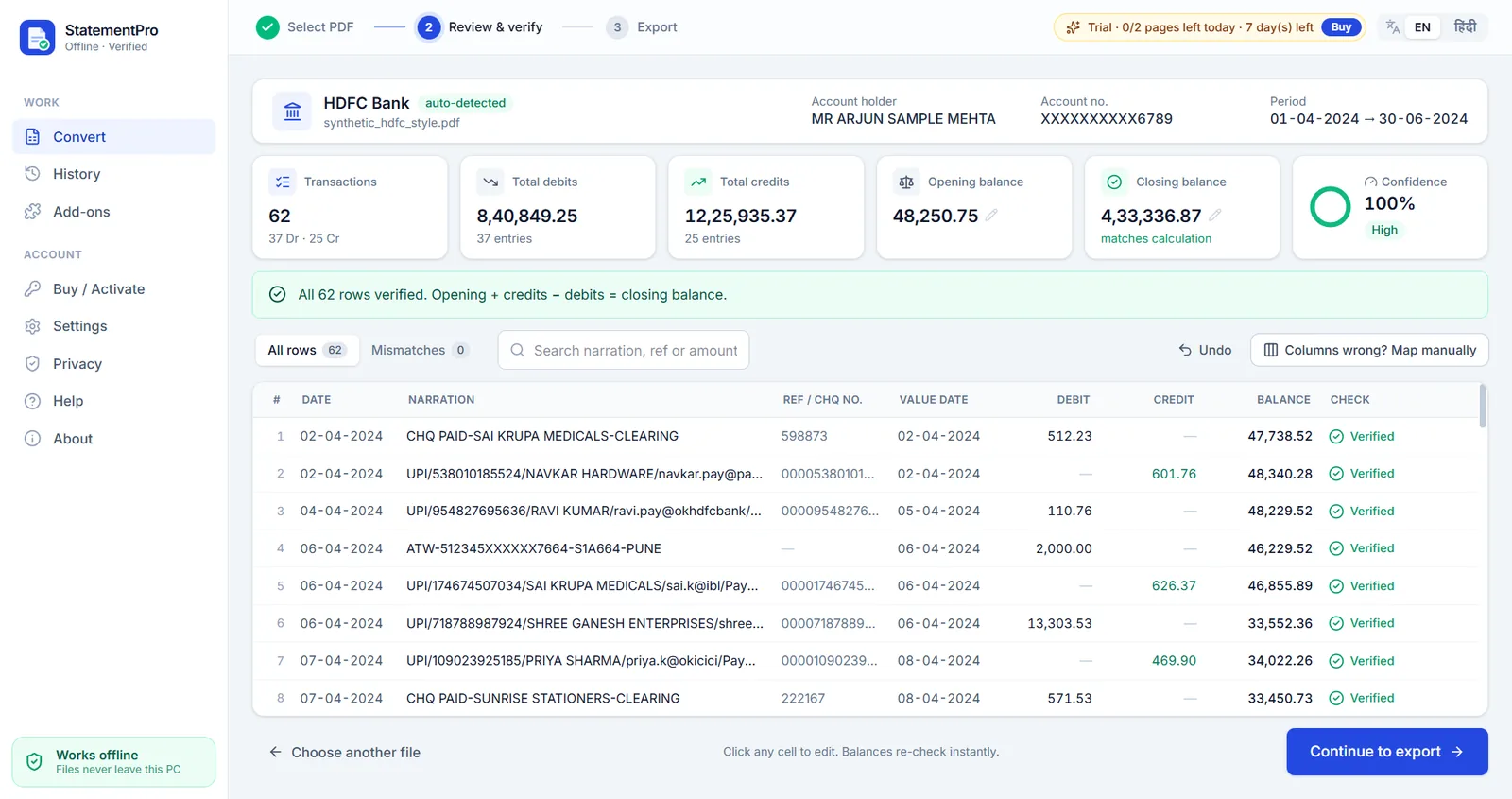
Opening, total and closing rows inside the table
Axis Bank prints OPENING BALANCE, TRANSACTION TOTAL and CLOSING BALANCE as rows inside the transaction table. A normal converter copies them as if they were transactions, which breaks your totals. StatementPro recognises them, uses them to check the result and keeps them out of your transaction list.
How Axis columns map to Excel
| In the Axis statement | In your Excel file |
|---|---|
Tran Date | Date |
Chq No | Ref / Cheque No |
Particulars | Narration |
Debit / Credit | Debit / Credit |
Balance | Balance, checked row by row |
Init. Br | Branch (kept in the Word export) |
Convert an Axis statement in four steps
- Download the statement PDF from your bank's net banking (or use the PDF the bank emailed you).
- Open StatementPro and drop the PDF. The bank is detected automatically. If the PDF has a password, type it in; it is used in memory only and never saved.
- Review the rows. Every row is checked: previous balance + credit − debit must equal the printed balance. Anything that does not add up is shown in red, so you can fix it with one click.
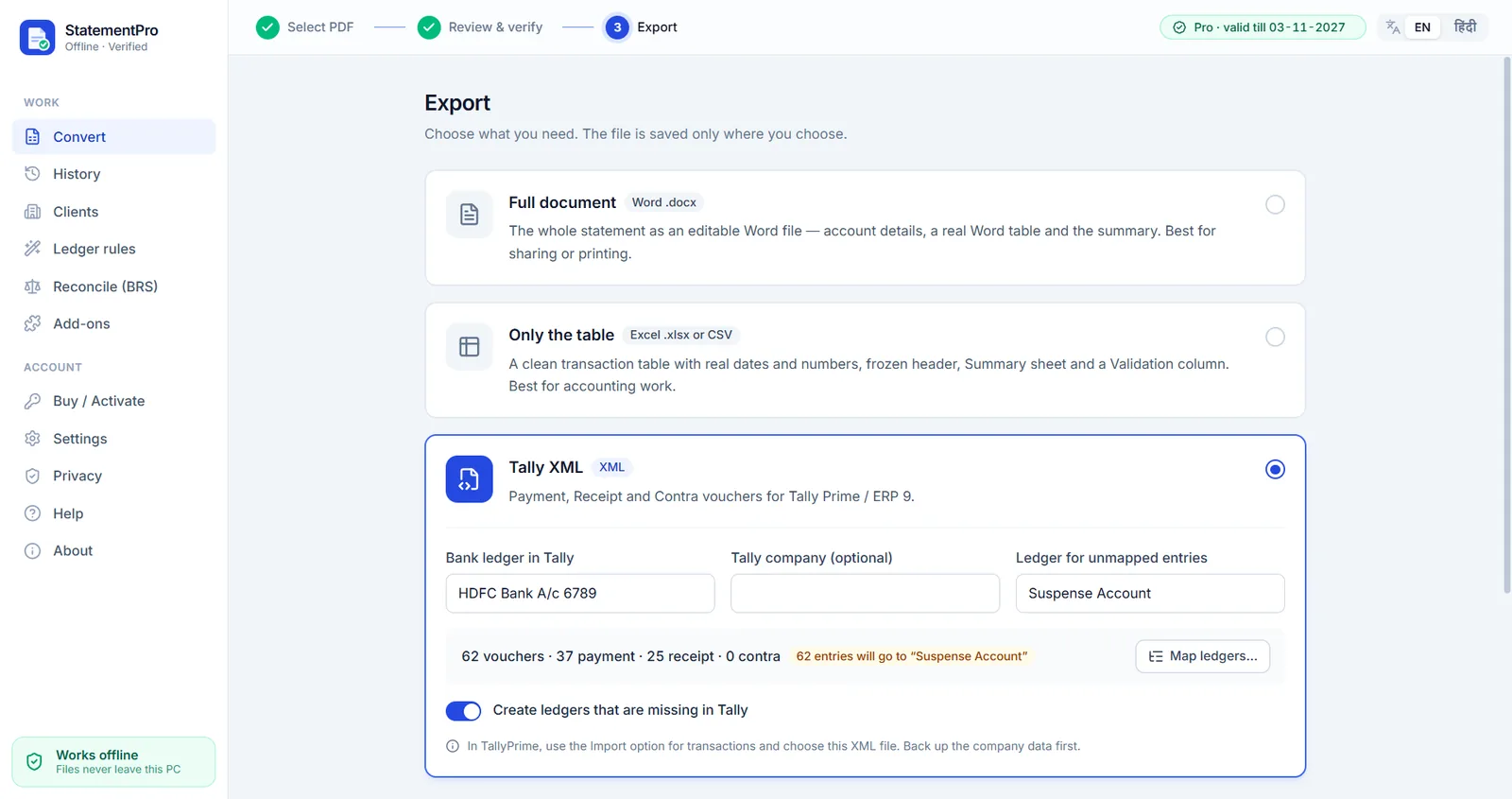
- Export to Excel (.xlsx), CSV, Word (.docx) or, with the Tally add-on, Tally XML.
Frequently asked questions
Can I convert an Axis Bank statement to Excel offline?
Yes. The conversion runs on your Windows PC; the statement is never uploaded.
Are the opening and closing balance rows removed?
Yes. They are used to verify the statement and are not exported as transactions.
Can I send Axis transactions to Tally?
Yes, with the Tally XML add-on, which creates Payment, Receipt and Contra vouchers with your ledger mapping.
Is my statement uploaded anywhere?
No. StatementPro is a Windows desktop app and the conversion runs entirely on your PC, with the internet on or off. There is no account and no cloud. The engine blocks outbound connections while it works.
Is there a free trial?
Yes, 7 days, up to 2 pages per day, with no account. Paid licences start at ₹3,000 per year for one PC; scanned-PDF OCR is in the Pro plan (₹5,000 per year).