Ruled tables and multi-line remarks, handled
ICICI statements usually draw a border around every cell and wrap Transaction Remarks over several lines. StatementPro reads the table structure from those borders, so wrapped remarks stay in one cell and amounts stay in the right column. The Legends footer and repeated page headers are skipped.
How ICICI columns map to Excel
| In the ICICI statement | In your Excel file |
|---|---|
S No. | Row number |
Transaction Date | Date |
Value Date | Value Date |
Cheque Number | Ref / Cheque No |
Transaction Remarks | Narration |
Withdrawal Amount (INR) | Debit |
Deposit Amount (INR) | Credit |
Balance (INR) | Balance, checked row by row |
Convert an ICICI statement in four steps
- Download the statement PDF from your bank's net banking (or use the PDF the bank emailed you).
- Open StatementPro and drop the PDF. The bank is detected automatically. If the PDF has a password, type it in; it is used in memory only and never saved.
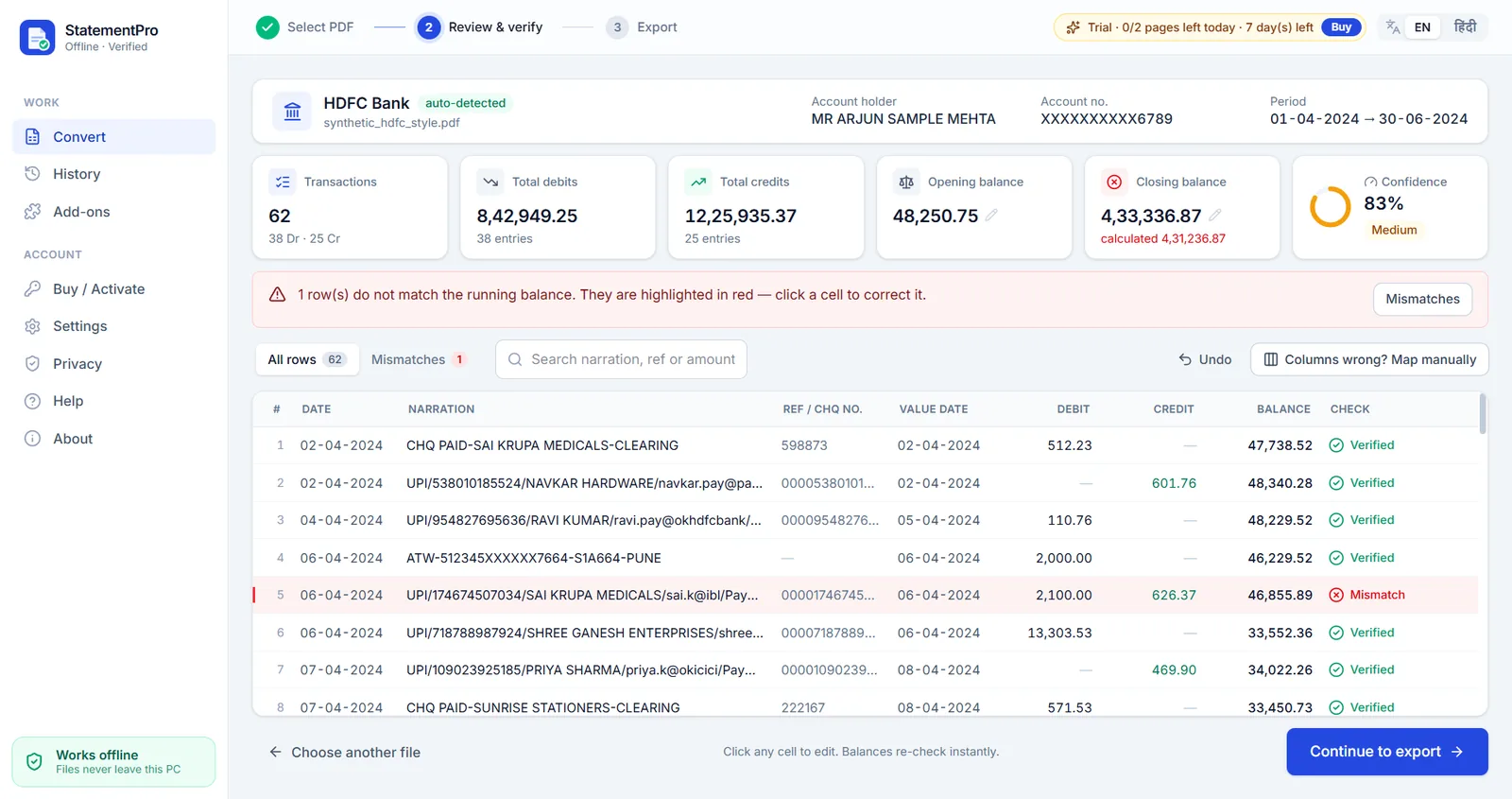
- Review the rows. Every row is checked: previous balance + credit − debit must equal the printed balance. Anything that does not add up is shown in red, so you can fix it with one click.
- Export to Excel (.xlsx), CSV, Word (.docx) or, with the Tally add-on, Tally XML.
See problems before your client does
If any figure does not fit the running balance, the row is flagged as a mismatch, like in the screen above. Fix the cell and the chain re-checks instantly, so the Excel you hand over always adds up.
Frequently asked questions
Does StatementPro support ICICI Bank statements?
Yes. ICICI has a tuned profile, along with SBI, HDFC and Axis. The bank is detected automatically.
Can I convert a scanned ICICI statement?
Yes, on the Pro plan. Built-in OCR runs on your PC and recognises the table structure of ruled statements.
Will the Excel have real numbers?
Yes. Dates are real Excel dates and amounts are numbers, not text, so formulas and pivot tables work immediately. Indian lakh number format is optional.
Is my statement uploaded anywhere?
No. StatementPro is a Windows desktop app and the conversion runs entirely on your PC, with the internet on or off. There is no account and no cloud. The engine blocks outbound connections while it works.
Is there a free trial?
Yes, 7 days, up to 2 pages per day, with no account. Paid licences start at ₹3,000 per year for one PC; scanned-PDF OCR is in the Pro plan (₹5,000 per year).