Why convert the PDF straight to Tally
Tally cannot read a PDF. The usual route is to retype entries, or to convert to Excel first and then clean the file for import. StatementPro does the whole job in one place: it reads the PDF, verifies every row against the running balance and writes a Tally XML file you can import.
What you get in the XML
| Statement entry | Tally voucher |
|---|---|
| Money out (debit) | Payment voucher |
| Money in (credit) | Receipt voucher |
| Cash withdrawal or deposit, transfers between your banks | Contra voucher |
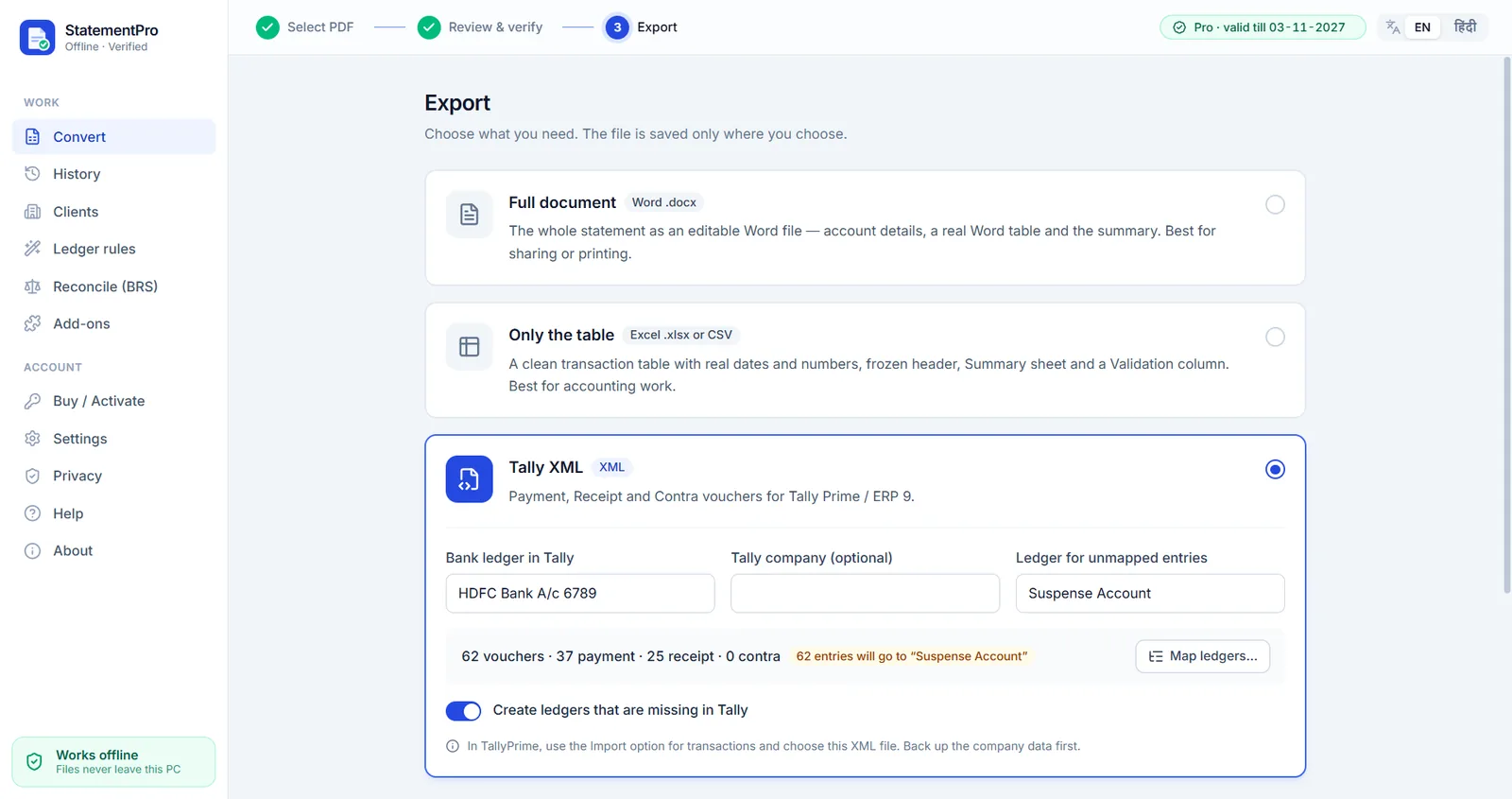
Each voucher uses the bank ledger you choose (for example HDFC Bank A/c 6789). Narrations you have not mapped go to a ledger you pick, such as Suspense Account, so nothing is lost. Ledgers that do not exist in Tally yet can be created automatically.
Bank statement to Tally in five steps
- Open the bank statement PDF in StatementPro and check the rows. Every row must match the running balance.
- Choose Tally XML on the Export screen and enter the bank ledger name exactly as it is in Tally.
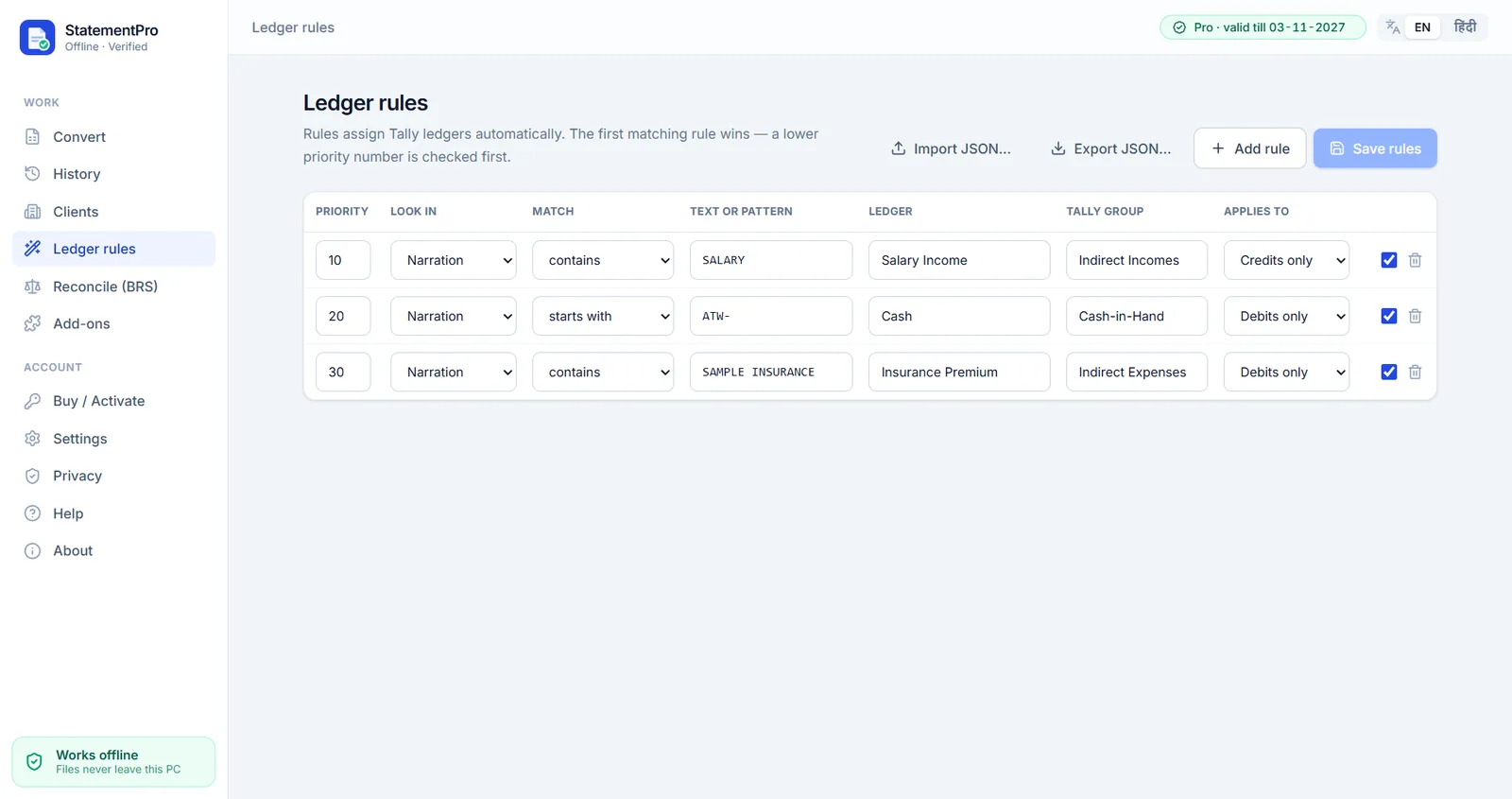
- Map narrations to ledgers, or let Ledger rules do it: for example, narration contains
SALARY→ Salary Income. - Save the XML file. Back up your Tally company data first.
- In Tally Prime, use the import option for transactions and choose the XML file.
Ledger rules: map once, reuse every month
Rules look at the narration (contains, starts with, or a pattern), pick a ledger and a Tally group, and can apply to debits, credits or both. The first matching rule wins, by priority. Rules can be exported and imported as JSON, so a whole office can share them.
Frequently asked questions
Which Tally versions are supported?
Tally Prime and Tally ERP 9, using XML import. Always back up the company before importing.
Do I need the Tally add-on?
Yes. Tally XML is an add-on (₹2,000 per year) on top of Basic or Pro, and it is included in the CA Pack.
What happens to entries I have not mapped?
They go to the ledger you choose for unmapped entries, such as Suspense Account, so you can review them in Tally.
Is the data sent to Tally over the internet?
No. StatementPro writes an XML file on your PC and you import it into Tally yourself. Nothing is uploaded.
Is my statement uploaded anywhere?
No. StatementPro is a Windows desktop app and the conversion runs entirely on your PC, with the internet on or off. There is no account and no cloud. The engine blocks outbound connections while it works.
Is there a free trial?
Yes, 7 days, up to 2 pages per day, with no account. Paid licences start at ₹3,000 per year for one PC; scanned-PDF OCR is in the Pro plan (₹5,000 per year).