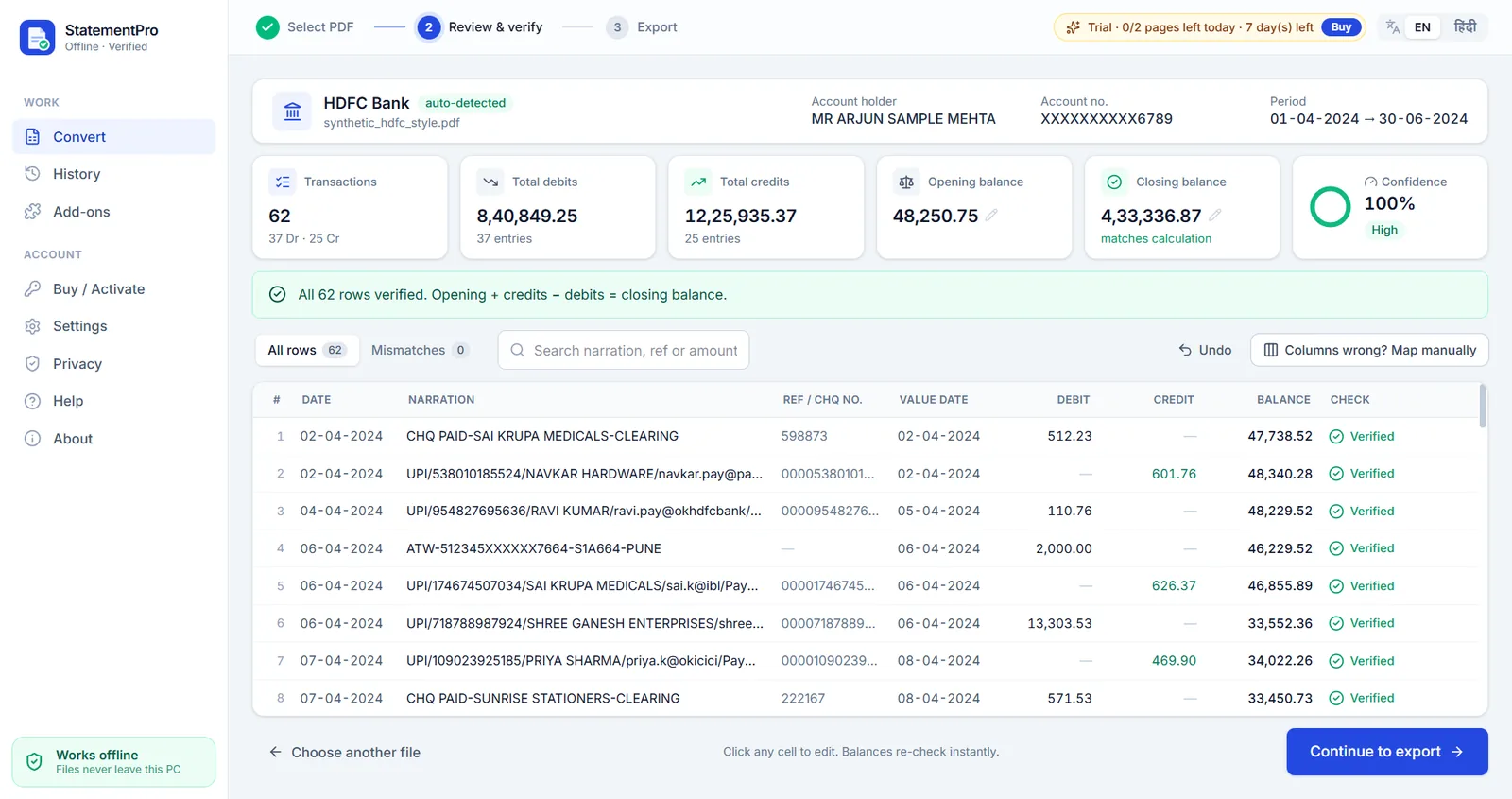
Made for the HDFC statement layout
HDFC statements have no lines between rows, long UPI narrations that wrap, and a STATEMENT SUMMARY block at the end. StatementPro's HDFC profile rebuilds each transaction correctly and uses that summary block to double-check the result: opening balance, number of debits and credits, total debits, total credits and closing balance must all agree.
How HDFC columns map to Excel
| In the HDFC statement | In your Excel file |
|---|---|
Date | Date (a real Excel date) |
Narration | Narration (wrapped lines joined) |
Chq./Ref.No. | Ref / Cheque No |
Value Dt | Value Date |
Withdrawal Amt. | Debit |
Deposit Amt. | Credit |
Closing Balance | Balance, checked row by row |
Convert an HDFC statement in four steps
- Download the statement PDF from your bank's net banking (or use the PDF the bank emailed you).
- Open StatementPro and drop the PDF. The bank is detected automatically. If the PDF has a password, type it in; it is used in memory only and never saved.
- Review the rows. Every row is checked: previous balance + credit − debit must equal the printed balance. Anything that does not add up is shown in red, so you can fix it with one click.
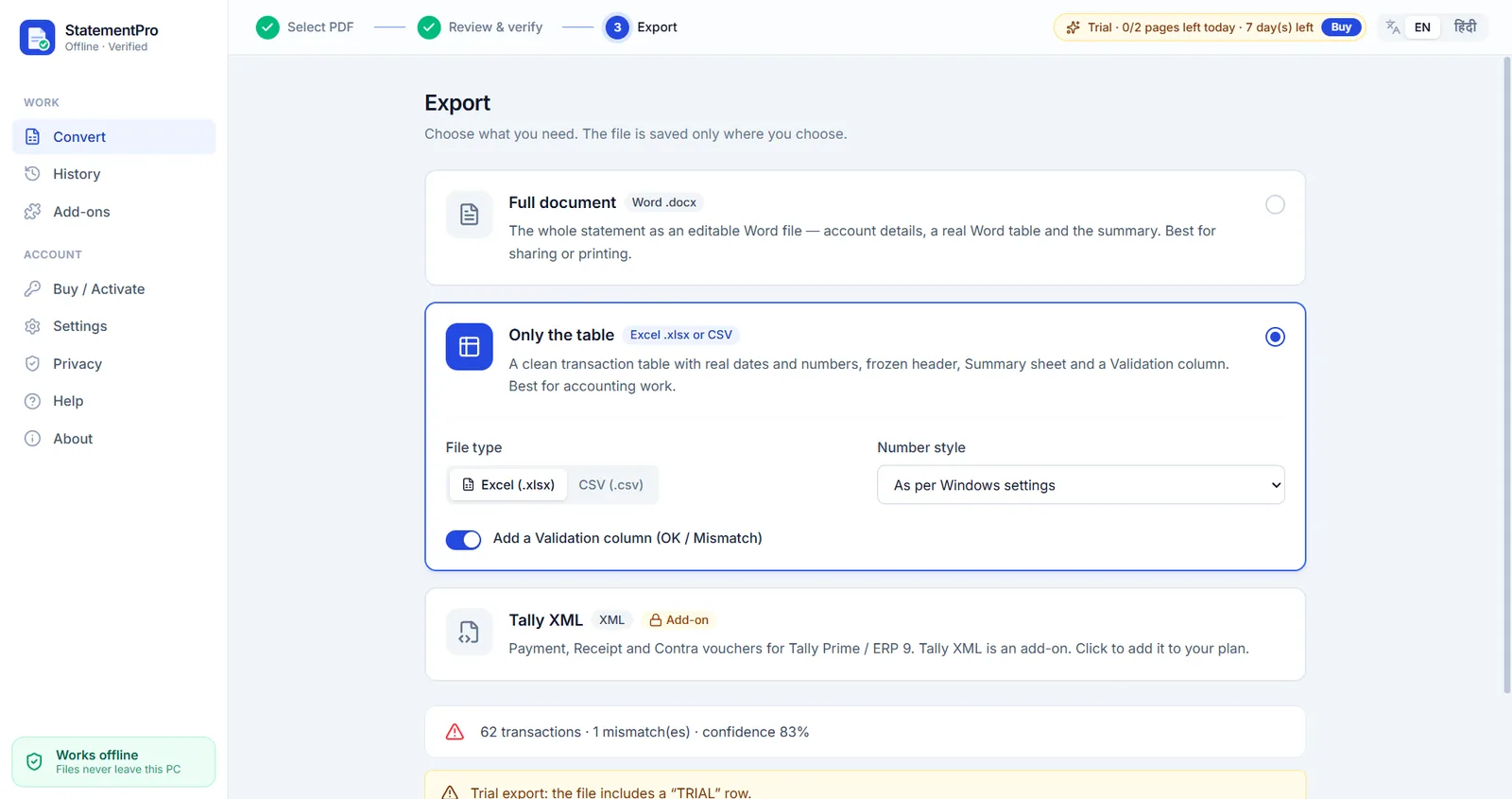
- Export to Excel (.xlsx), CSV, Word (.docx) or, with the Tally add-on, Tally XML.
UPI narrations, split into columns
HDFC UPI narrations pack the UPI reference, payee name and UPI ID into one long line. With the UPI / NEFT parser add-on, StatementPro splits them into separate columns (UTR, UPI ID, payee and mode: NEFT, RTGS, IMPS, UPI or ATM), which makes filtering and ledger mapping much easier.
Frequently asked questions
Can I convert an HDFC Bank statement to Excel without uploading it?
Yes. StatementPro converts the PDF on your own Windows PC. Nothing is uploaded and no account is needed.
Does it check the HDFC statement summary?
Yes. Each row is verified against the running balance, and the totals are checked against the opening and closing balance printed on the statement.
Can I open password-protected HDFC PDFs?
Yes. Type the password when asked; it is used in memory only and never saved on disk.
Can I export HDFC transactions to Tally Prime?
Yes, with the Tally XML add-on. Debits become Payment vouchers, credits become Receipt vouchers, with your ledger mapping.
Is my statement uploaded anywhere?
No. StatementPro is a Windows desktop app and the conversion runs entirely on your PC, with the internet on or off. There is no account and no cloud. The engine blocks outbound connections while it works.
Is there a free trial?
Yes, 7 days, up to 2 pages per day, with no account. Paid licences start at ₹3,000 per year for one PC; scanned-PDF OCR is in the Pro plan (₹5,000 per year).